Witch: Efficient Window Management for Mac
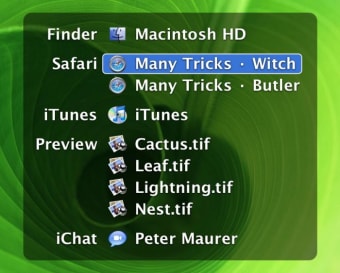
Witch is a free utility application designed specifically for Mac users, aimed at enhancing window management capabilities. This software allows users to easily switch between open windows and applications, providing a more organized and efficient workspace. With its intuitive interface, Witch streamlines the process of navigating through multiple windows, making multitasking smoother and more efficient.
Top Recommended Alternative

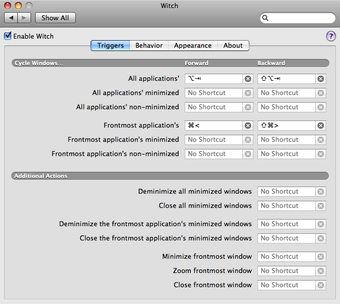
One of the standout features of Witch is its ability to display all open windows in a single view, allowing users to quickly locate and switch to the desired application. Additionally, it offers customizable shortcuts and settings to tailor the experience to individual preferences. Overall, Witch is a valuable tool for Mac users looking to optimize their workflow and manage their workspace effectively.